How to Find the Perfect Board Members

Michael Reale • April 30, 2025

How to Find the Perfect Board Members

Every nonprofit organization thrives on the passion and expertise of its board members. These individuals play a crucial role in steering the mission, making strategic decisions, and ensuring the long-term sustainability of the organization. Finding the right board members isn’t always easy, but there are strategies that can help.


1. Design a Compelling Board Recruitment Program

A well-crafted campaign not only captures attention but also inspires action. Here’s how to do it:


  • Define Your Needs: Outline the skills, expertise, and qualities you’re looking for in a board member. Are you seeking someone with financial acumen, legal expertise, or fundraising experience? Just like employees, ensure there are job descriptions for each board role, setting out clear expectations.
  • Explain Expectations: Be transparent about the responsibilities, time commitment, and term length for board members. If there is a financial contribution required, communicate this openly and provide details on how it can be fulfilled, such as through a "Give or Get" approach.
  • Share Your Mission: Clearly articulate your organization’s mission, vision, and values. Potential board members are more likely to join if they feel connected to your cause. Include images or videos that showcase your organization’s impact and culture.
  • Showcase Current Board Members: Highlight testimonials or stories from existing board members to give potential candidates a sense of what it’s like to serve on your board.
  • Highlight the Benefits: Describe the rewards that are part of being on the board, such as working with a dynamic group of people, making an impact on the community, improving the lives of children, and/or having fun!


2. Implement the Recruitment Program

Use a variety of methods to reach audiences who may be interested in board positions:


  • Notify Your Current Constituents: Share the opportunity with event attendees, volunteers, fundraisers, sponsors, vendors, and donors. These individuals are already invested in your mission and may be interested in taking on a larger role.
  • Collaborate with Partners: Reach out to local businesses, community groups, or professional associations to promote your campaign.
  • Promote the Opportunity on Volunteer Platforms: Use websites like VolunteerMatch.org to advertise the board position. These platforms are excellent for connecting with individuals actively seeking board roles or looking for meaningful volunteer opportunities.
  • Offer Q&A Opportunities: Host virtual or in-person Q&A sessions to answer questions and share insights about your organization.
  • Invite Potential Candidates to Events: Bring prospective board members to a fundraiser or an after-school program session to see the organization’s work in process. Also consider inviting them to a board meeting.
  • Engage Current Board Members: Encourage current board members to actively tap into professional and personal networks to identify potential candidates. However, be mindful of the importance of diversity and inclusivity - avoid creating a homogenous board by focusing solely on connections within the same circles. A varied board brings fresh perspectives and strengthens the organization.


3. Set up an Application Process – use Pinwheel!

Pinwheel’s recruitment campaign is an easy way to have potential board members apply:


  1. Leverage Pre-Built Templates - Need help getting started? Use Pinwheel’s Board Member Campaign template to streamline your process. Just email support@pinwheel.us to request a template and have it added to your campaign list.
  2. Decide on Application Accessibility - If you prefer a public application, post the link on your website, social media accounts, and any platforms where the position is advertised. If you'd rather vet applicants before they apply, provide a contact email address, and share the application link only with candidates who meet your initial criteria.
  3. Review and Manage Applications - As applications come in, review the data and assign a status to each applicant (e.g., Reviewed, Background Pending, Rejected, Withdrawn, or Accepted).
  4. Capture Key Insights - Use the Notes tab to document additional information or observations during the review process. This ensures all relevant details are easily accessible for decision-making.
  5. Finalize the Selection - Once a final candidate is determined, accept the application. Pinwheel will prompt you to add the board role and term to the record and automatically list the person under the Account’s Board Member tab. If a candidate is not selected but you wish to stay in touch, you can make the person a Contact instead.


4. Nurture Long-Term Relationships

Even after the recruitment campaign ends, it’s essential to stay connected with potential candidates who may not join your board immediately:


  • Create a Pipeline: Keep a list of engaged candidates who can be considered for future opportunities. In Pinwheel, use Person Tags to identify and track potential candidates.
  • Offer Other Ways to Get Involved: Encourage candidates to volunteer or join committees if they’re not ready for a board role.
  • Keep Communication Open: Add candidates to email marketing lists, connect with them on social media, invite them to events, and periodically reach out directly to share updates with them about your organization and to maintain relationships.


Happy board member recruiting!
Green promo graphic with text “Teams are more than a registration type” and a circular team collaboration illustration
By Jennifer Speak September 5, 2026
Pinwheel’s flexible team tools support payments, captain management, scheduling, products, fundraising, and communications for every kind of event.
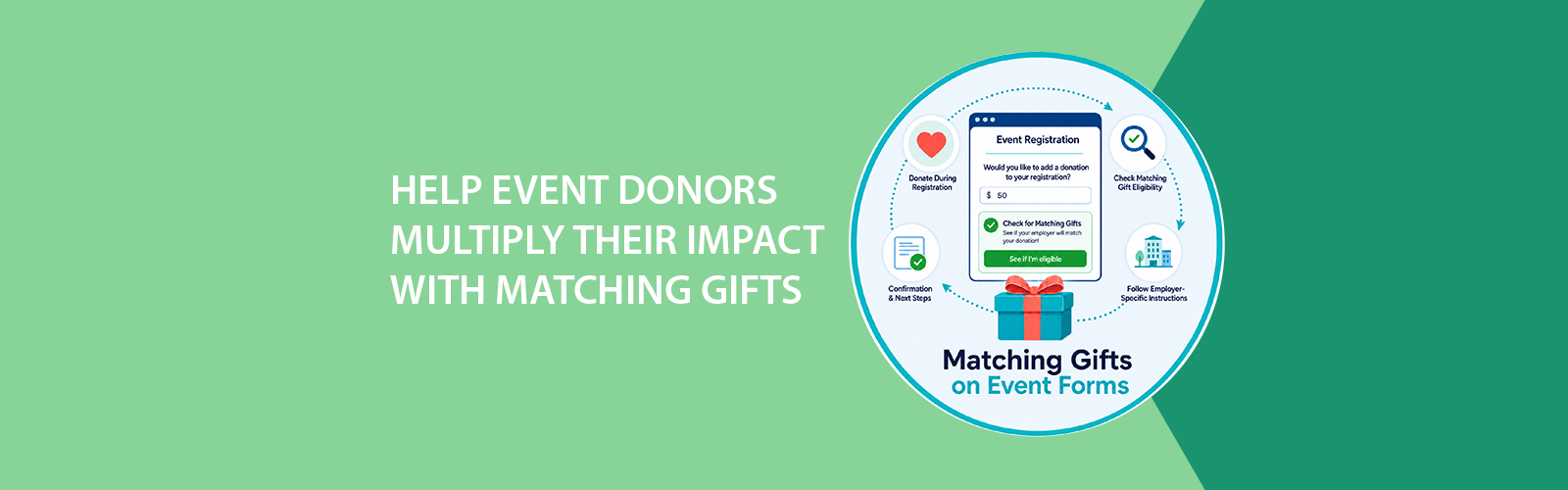
Green promo graphic: “Help event donors multiply their impact with matching gifts” and “Matching Gifts on Event Forms”
By Jennifer Speak August 3, 2026
Help donors multiply their impact with matching gifts. Pinwheel’s expanded Double the Donation integration now brings matching gift tools to event forms.
Rain, heat, and parking event-day essentials with phone app, sun, umbrella, and parking sign
By Jennifer Speak June 26, 2026
Prepare for summer event day with practical plans for rain, heat, parking, check-in, volunteer communication, and urgent attendee updates.
Graphic reading “WHAT NONPROFITS SHOULD MEASURE AFTER AN EVENT” with charts and magnifying glass on green background
By Jennifer Speak May 27, 2026
Learn which event metrics nonprofits should review after a 5K, gala, fundraiser, or after-school program to improve attendance, fundraising, and future planning.
Promotional graphic for check-in app: green background, “Check-In Made Easy” text, phone and calendar icons.
By Jennifer Speak April 28, 2026
Transform your event day with smarter check-in. Learn how streamlined, digital tools reduce lines, improve experiences, and give you real-time data to run more successful programs.
Handshake between a business sponsor and nonprofit participant with 5K medal, gala VIP badge, and go
By Jennifer Speak March 30, 2026
Learn how to recruit, secure, and manage event sponsors for 5Ks, galas, and golf tournaments. Practical strategies to grow sponsorship revenue and stay organized.
One platform text with event icons: golf, gala, bowling, and a team running.
By Jennifer Speak February 14, 2026
Run golf tournaments, bowling tournaments, galas, fairs, and races with powerful registration, fundraising, check-in, and reporting tools in one connected platform.
Graphic: Bowling theme, contrasting paper registration with online registration, green and blue colors.
By Jennifer Speak January 8, 2026
Many bowling organizations are moving away from paper registration. Learn how online bowling registration increases entries, improves accuracy, and speeds up payments.
Graphic with text
By Jennifer Speak December 12, 2025
Best practices for increasing recurring donations
Puzzle pieces in a circle with the words The Complete Picture in the center.
By Jennifer Speak October 14, 2025
Nonprofits work tirelessly to connect with their communities, but truly understanding those connections can be challenging. When your supporter data lives across multiple systems, such as event registration tools, donation platforms, volunteer spreadsheets, and email marketing software, it’s nearly impossible to see the full story of a person’s involvement. Why a Unified View Matters Fragmented data hides powerful insights. A loyal donor might also volunteer every summer. A board member could be one of your most consistent event participants. A sponsor may have first discovered your organization through a child's participation and later deepened their support through ongoing sponsorship. Without a unified record, those connections stay invisible and opportunities to engage more meaningfully slip away. When your organization can view a person’s complete history in one place, you can: Recognize every way they contribute, not just their latest donation Tailor your outreach based on real activity and interests Build trust by showing that you truly know and appreciate their involvement Identify people ready to take on bigger roles, like becoming a team lead, board member, or major donor If your organization isn’t doing this yet, now is the time to start consolidating your data. What a Full Supporter Record Includes Picture opening one supporter record and seeing everything you need to understand their relationship with your organization. This single, unified record might include: Personal details such as contact information, employer, social media, and/or certifications Event registrations and participation history Donation and fundraising activity Volunteer and board service Sponsorship connections Vendor relationships Email and text engagement with your organization Staff notes, tags, alumni status, and custom fields unique to your programs That level of visibility helps everyone on your team work smarter and communicate more effectively. How to Move Toward a Unified System If your team currently uses multiple systems, start by asking: Where does supporter data live today? (Event system, donation tool, email list, etc.) Who manages each system? What overlaps or gaps exist between them? Once you know where your data lives, look for ways to bring it together. The goal is to build a single source of truth that captures every connection a supporter has with your organization. Why Pinwheel Makes It Easy Pinwheel brings all of this data together, including event registrations, fundraising activity, donations, volunteer records, communications, and more, into one comprehensive supporter record. You’ll see a person’s entire journey with your organization, so your team can spend less time cross-checking and more time connecting. With Pinwheel, you can: Automatically link a person’s event participation to their donations and volunteer history See communication engagement right on their record Add tags, notes, and custom roles that matter to your programs Generate reports that show true supporter impact When everything lives in one place, you can act faster, personalize more deeply, and make smarter decisions about engagement and stewardship. Take the Next Step If you’re already using Pinwheel, make sure you’re taking advantage of every tool. Reach out to us for tips on unifying your supporter data. If you’re not using Pinwheel yet, this is the moment to explore how it can transform the way your organization understands and engages its community. Schedule a demo and see how easy it can be to build a complete picture of every supporter!