Bulk Text Messaging Part 2: Real-Life Examples

Michael Reale • January 6, 2025

Kickstart the Year with Impactful Text Messaging

As the year kicks off and new events and recruitment campaigns are getting set up, it’s important to include clear questions asking participants and volunteers for consent to receive text messages from your organization. In a previous blog post, we discussed how Pinwheel’s Bulk Text Messaging feature helps organizations connect with audiences quickly and effectively. Now, we’re excited to share specific text message examples tailored for sites, volunteers, caregivers, event participants, and donors, to help you discover new and impactful ways to use the Texting tool.


Examples of Effective Text Messaging


For Afterschool Program Sites:

  • The new Run To Give Back season is almost here! Don't forget to renew your site for the 2025 program. Register here: www.yourwebsite.org.


For Volunteers:

  • Hi from Run To Give Back! Are you planning to volunteer this season? Reply "Yes" to receive the sign-up link. Reply "No" to be contacted for a future season.
  • Don’t forget – volunteer training is tomorrow night at 6:00 PM at 600 K Street. Dinner will be provided. See you then!
  • Team supply pickup is next week at 500 J Street. Tues 10 to 5, Weds 11 to 6. See you then!
  • Golf Tournament volunteers – thank you for helping us tomorrow! Please arrive at the course at 8:00 AM with your volunteer shirt on. Check your email for details.


For Caregivers:

  • Stoneridge Elementary practice is CANCELLED for today! Please check your email for more info. We apologize for any inconvenience!
  • Summer Camp registration closes tomorrow! Sign up today! www.yourwebsite.org


For Event Participants:

  • Reminder! Don’t forget The Giving Gala is next Saturday at 6:00 PM. We can’t wait to see you there! Visit www.yourwebsite.org to get tickets!
  • URGENT - the 5K has been cancelled because of severe weather in the area. Check our website for details and a rescheduled date!
  • Thank you for making our event fun and special! Tag us in photos at #runtogiveback & please consider helping refill our scholarship fund: www.yourwebsite.org
  • We’d love your feedback! Please take a moment to complete a survey about our season. [INSERT LINK] Thank you!


For Donors:

  • DOUBLE your impact for Run To Give Back! Donations up to $10,000 are matched on Giving Tuesday to support our mission. Donate here: www.yourwebsite.org
  • Exciting news! Our annual fundraising campaign starts now! Join us in making a difference. Visit www.yourwebsite.org to donate!


Real-World Insights from a Pinwheel User

Jacqueline Weber, Development Director at Girls on the Run Northwest Indiana, shares her firsthand experience with the Pinwheel text messaging tool, highlighting its ability to be used for various audiences: "Texting is a great tool. Everyone checks and most importantly, reads their text messages. Emails have a much lower open and read rate. People can easily and quickly delete their emails without even glancing at it. Texting works for board members, volunteers, 5K participants, coaches, GOTR Grown-ups and more! We use it to send out reminders for 5K day, share our sponsor's coupon, reminders to sign up for the BAND app, complete a survey, lost & found items from the 5K, share 5K information in Spanish, recruit volunteers, and more!"


Best Practices for Bulk Text Messaging

  • Be clear and concise -  text messages have a character limit, so make sure the message is clear and to the point.
  • Include a call to action -  encourage recipients to take action, whether it’s visiting a website, signing up for an event, or responding to a survey.
  • Respect privacy - always ensure you have consent to contact recipients via text and provide an option to opt-out.
  • Use short URLs - take advantage of Pinwheel's shortened URLS for events, campaigns and fundraisers (available on dashboards) to save characters, keep messages concise, and ensure links are easy to click.
  • Monitor engagement - track response rates and engagement metrics to evaluate the effectiveness of your messaging strategy and make improvements as needed.


If you have any questions about how to set up permission questions in events or campaigns, or how to use the Text Messaging Tool, please contact us at support@pinwheel.us.


Happy texting!

Graphic reading “WHAT NONPROFITS SHOULD MEASURE AFTER AN EVENT” with charts and magnifying glass on green background
By Jennifer Speak May 27, 2026
Learn which event metrics nonprofits should review after a 5K, gala, fundraiser, or after-school program to improve attendance, fundraising, and future planning.
Promotional graphic for check-in app: green background, “Check-In Made Easy” text, phone and calendar icons.
By Jennifer Speak April 28, 2026
Transform your event day with smarter check-in. Learn how streamlined, digital tools reduce lines, improve experiences, and give you real-time data to run more successful programs.
Handshake between a business sponsor and nonprofit participant with 5K medal, gala VIP badge, and go
By Jennifer Speak March 30, 2026
Learn how to recruit, secure, and manage event sponsors for 5Ks, galas, and golf tournaments. Practical strategies to grow sponsorship revenue and stay organized.
One platform text with event icons: golf, gala, bowling, and a team running.
By Jennifer Speak February 14, 2026
Run golf tournaments, bowling tournaments, galas, fairs, and races with powerful registration, fundraising, check-in, and reporting tools in one connected platform.
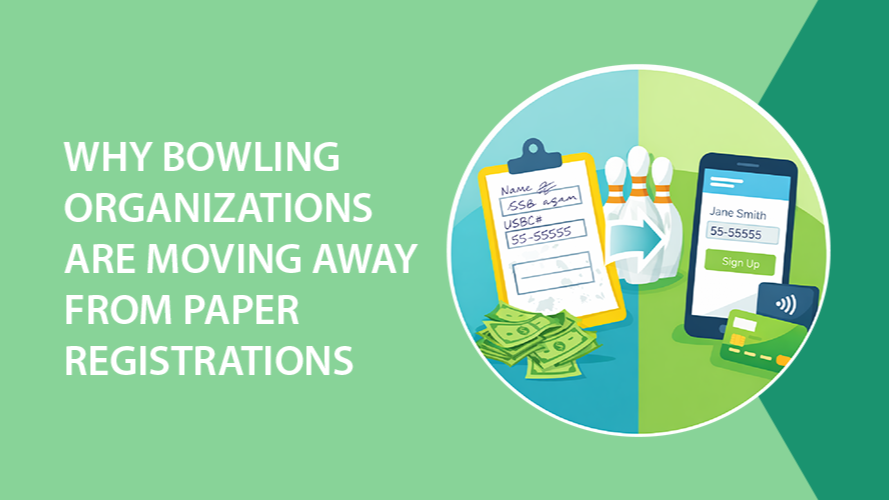
Graphic: Bowling theme, contrasting paper registration with online registration, green and blue colors.
By Jennifer Speak January 8, 2026
Many bowling organizations are moving away from paper registration. Learn how online bowling registration increases entries, improves accuracy, and speeds up payments.
Graphic with text
By Jennifer Speak December 12, 2025
Best practices for increasing recurring donations
Puzzle pieces in a circle with the words The Complete Picture in the center.
By Jennifer Speak October 14, 2025
Nonprofits work tirelessly to connect with their communities, but truly understanding those connections can be challenging. When your supporter data lives across multiple systems, such as event registration tools, donation platforms, volunteer spreadsheets, and email marketing software, it’s nearly impossible to see the full story of a person’s involvement. Why a Unified View Matters Fragmented data hides powerful insights. A loyal donor might also volunteer every summer. A board member could be one of your most consistent event participants. A sponsor may have first discovered your organization through a child's participation and later deepened their support through ongoing sponsorship. Without a unified record, those connections stay invisible and opportunities to engage more meaningfully slip away. When your organization can view a person’s complete history in one place, you can: Recognize every way they contribute, not just their latest donation Tailor your outreach based on real activity and interests Build trust by showing that you truly know and appreciate their involvement Identify people ready to take on bigger roles, like becoming a team lead, board member, or major donor If your organization isn’t doing this yet, now is the time to start consolidating your data. What a Full Supporter Record Includes Picture opening one supporter record and seeing everything you need to understand their relationship with your organization. This single, unified record might include: Personal details such as contact information, employer, social media, and/or certifications Event registrations and participation history Donation and fundraising activity Volunteer and board service Sponsorship connections Vendor relationships Email and text engagement with your organization Staff notes, tags, alumni status, and custom fields unique to your programs That level of visibility helps everyone on your team work smarter and communicate more effectively. How to Move Toward a Unified System If your team currently uses multiple systems, start by asking: Where does supporter data live today? (Event system, donation tool, email list, etc.) Who manages each system? What overlaps or gaps exist between them? Once you know where your data lives, look for ways to bring it together. The goal is to build a single source of truth that captures every connection a supporter has with your organization. Why Pinwheel Makes It Easy Pinwheel brings all of this data together, including event registrations, fundraising activity, donations, volunteer records, communications, and more, into one comprehensive supporter record. You’ll see a person’s entire journey with your organization, so your team can spend less time cross-checking and more time connecting. With Pinwheel, you can: Automatically link a person’s event participation to their donations and volunteer history See communication engagement right on their record Add tags, notes, and custom roles that matter to your programs Generate reports that show true supporter impact When everything lives in one place, you can act faster, personalize more deeply, and make smarter decisions about engagement and stewardship. Take the Next Step If you’re already using Pinwheel, make sure you’re taking advantage of every tool. Reach out to us for tips on unifying your supporter data. If you’re not using Pinwheel yet, this is the moment to explore how it can transform the way your organization understands and engages its community. Schedule a demo and see how easy it can be to build a complete picture of every supporter!
People running, raising funds with goal numbers on signs.
By Jennifer Speak September 8, 2025
Empower events with peer to peer fundraising
By Michael Reale August 4, 2025
When it comes to after-school programs, camps, or high-demand community events, spots can fill up in minutes, sometimes seconds. For many families, trying to register for these programs becomes a stressful race, where those with the fastest internet or most flexible schedules win, and everyone else misses out. At Pinwheel , we believe access should not be based on Wi-Fi speed or being available right at 9:00 AM on a Wednesday. That’s why we’ve built lottery registration into our event tools, offering a fairer, more equitable way to manage high-interest events. What Is Lottery Registration? Lottery registration allows organizations to collect sign-ups over a defined period, and once that window closes, randomly select who gets a spot in the program. Instead of a first-come, first-served system, which often disadvantages working parents or people with limited internet access, lottery registration levels the playing field. Everyone has an equal shot at participation. That’s a huge step forward in creating fairness and trust in your community. Why It Matters: More Equity, Less Chaos Equal Access for All Families – Lottery registration removes the digital race. Whether a parent signs up right at 9 a.m. or 11:59 p.m., the registration is treated the same. Less Stress, More Time – No need to hover over a computer or worry about typing quickly enough. Registration can happen at a convenient time, with confidence that it's the act of signing up (not the speed) that counts. Supports Representation Goals – For organizations serving underrepresented or underserved communities, lottery registration is a powerful tool to remove barriers and support fair access. Better Experience for Staff – Set the registration period, then use Pinwheel’s built-in randomizer to fairly select participants. It’s quick, transparent, and eliminates the need for spreadsheets or manual selection. How It Works in Pinwheel Pinwheel’s lottery registration is designed to be easy to set up and simple to manage: Open a Registration Window - Choose the start and end dates for registration. During this time, families or participants sign up just as they would for any other event. Random Selection Tool - After the registration window closes, use Pinwheel’s built-in randomizer to fairly select who gets in. For guaranteed placements, such as children of program volunteers, the Award-Win feature can be used to ensure those spots are reserved. Automatic Payment Collection - Once selected, the system automatically processes the participant’s payment. Any financial aid or discounts are applied, along with donations, merchandise purchases, and payment plans. Custom Notifications – Participants who receive a spot are automatically emailed, along with any important information the organization needs to share. Families who aren’t selected can be contacted manually or notified later if additional spots become available. When to Use Lottery Registration Pinwheel’s lottery tool is ideal for: After-school programs with limited enrollment Summer camps with high demand Workshops and specialty classes Publicly funded programs that prioritize equity Events where fairness and transparency are critical Tips for a Smooth Lottery Process Be Clear in Your Communications - Let registrants know it’s a lottery, not first-come-first-serve, and provide the timeline for selection. Give Yourself Time - Build in a buffer between when registration closes and when you run the lottery to manage selections and send notifications. Set Expectations : Let families know how and when they’ll hear back, even if they aren’t selected. A More Equitable Way to Register Lottery registration doesn’t just solve logistical headaches, it signals to the community that your organization values fairness , accessibility , and transparency . And with Pinwheel, it’s simple to implement and easy to manage. Want to add a lottery to your next program? We’re here to help you get started. Visit pinwheel.us or contact our support team for help setting up your next equitable registration process.
By Michael Reale July 7, 2025
Managing attendance and participant information for after-school programs or summer camps is challenging, especially when it’s all done manually. That’s why we built the Pinwheel Attendance App , designed to give volunteers and program leaders a simple, secure, and centralized way to track attendance, communicate with families, and access essential participant details. Whether you're running a single-day workshop or a season-long youth program, the Attendance App makes it easy to stay organized, connected, and compliant. Easy for Volunteers, Powerful for Programs The Attendance App is mobile-friendly and intuitive, so volunteers spend less time on paperwork and more time with participants. With just a few taps, volunteers can: Take attendance by session - Mark who’s present or absent, both volunteers and participants - no clipboards or spreadsheets required. Access critical participant info - View important details like health concerns, allergy information, authorized pick-up individuals, and emergency contacts right in the app. Get notified of participant birthdays - Volunteers receive birthday alerts so they can help make each participant’s special day even more memorable. Communicate with caregivers - Volunteers can send text messages or emails to parents and guardians to share team updates, schedule changes, or reminders. Rate each session - Volunteers can submit a quick rating and feedback on how the day went, offering valuable insights into session quality and areas for support. Receive real-time push notifications - Program organizers can push updates or alerts to all volunteers through the app, perfect for last-minute changes, reminders, or encouragement. Real-Time Reporting All data collected through the Attendance App flows back instantly to Pinwheel and is viewable through 11 built-in reports . Administrators can track attendance trends, spot gaps in engagement, and review volunteer feedback to better understand program performance. Why It Matters Stronger outcomes and family satisfaction come from prioritizing safety, communication, and engagement. Reduced administrative burden helps retain and empower volunteers. Reliable attendance data supports grant reporting by demonstrating program reach, participant engagement, and overall impact. Ready to simplify attendance and improve communication across your programs? Whether you're running a local Police Athletic League (PAL), a summer arts camp, or an after-school tutoring program, the Pinwheel Attendance App puts essential tools in your volunteers’ hands and gives you the data you need to measure program success. Learn more at www.pinwheel.us or reach out to support@pinwheel.us to schedule a demo.