Jennifer Speak • September 5, 2026
For many events, a “team” is not simply a group of people registering together. It can determine how participants pay, when they participate, what they purchase, how they fundraise, who manages the group, and how organizers communicate with everyone involved.
That is why Pinwheel’s team tools are designed to support much more than a basic team registration option.
In fact, even the word Team is flexible. An event can rename it to match the way participants actually think about their group. Depending on the event, a Team might instead be called a Table, Squad, Relay Team, Group, Crew, Boat, Flight, or something completely different.
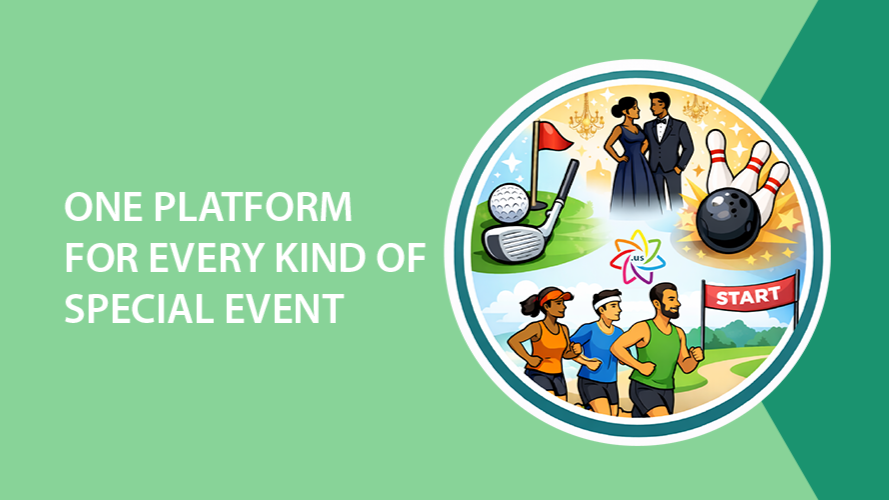
That flexibility makes the same set of tools useful across races, bowling tournaments, fundraising events, galas, relays, youth programs, paddling events, corporate events, and many other types of registration.
Start With the Right Team Structure
Different events need very different rules for how groups are formed. Pinwheel allows organizations to set minimum and maximum team sizes, decide whether a team name is required or optional, and configure how participants join and pay.
For example:
- A relay might require exactly four participants.
- A bowling tournament might allow teams of four or five bowlers.
- A corporate 5K might allow teams of any size above a minimum.
- A gala could use “Table” instead of “Team” and limit each table to eight guests.
- A paddling event might use teams for boats or crews and require a specific number of participants.
The terminology can change, but the underlying registration tools remain connected.
Let Teams Pay the Way That Makes Sense
Payment is another area where one model does not work for every event.
With Pinwheel, an organization can allow a team captain to pay for the entire team, have individual participants pay for themselves, or use the payment approach that best fits the registration process.
This is especially useful when the same event serves several types of groups.
A company registering a corporate race team may want one person to pay the full registration fee. A bowling team may prefer each bowler to pay individually as each person joins. A relay captain may secure the team first while teammates complete their own registrations later.
For larger fees, Pinwheel’s payment plan tools can also be used with team registration, giving organizations another way to make registration more manageable without creating a separate payment process.
Use Team Waves for Much More Than Start Times
One of the most flexible team tools in Pinwheel is the ability to assign an entire team to a wave. “Wave” can represent whatever scheduling concept makes sense for the event.
It might be:
- A race start time
- A start date
- A program session
- A relay slot
- A bowling squad
- A tournament block
- A departure time
- A competition period
Instead of assigning each participant separately, the team can be tied to the appropriate wave as a group.
For bowling events, for example, a team might register for the Saturday 10:00 a.m. squad. For a multi-session program, a group could select its preferred session. For a relay, the team structure and scheduling options can work together to organize participants around the way the event actually operates.
Sell Products to the Team, the Participant, or the Registration
Products can also work differently depending on who needs them.
An event might offer team-specific products, such as:
- A kayak rental
- A team tent
- Equipment used by the entire group
At the same time, individual participants might purchase items such as customized jerseys, apparel, or even bowling balls.
Other products may belong to the overall registration rather than to one particular team member, such as a parking pass.
Keeping these options within the same registration process gives organizers much more flexibility than trying to force every add-on into the same type of purchase.
Give Team Captains Useful Tools After Registration
Team captains often become the unofficial point person between the event and the rest of the group. Pinwheel gives organizations tools to support that role without giving captains access to information they should not manage.
Organizations can create custom registration questions that appear only for team captains. That makes it possible to collect information about the group without asking every participant the same questions.
Depending on the account’s settings, team captains can also log in after registration to view and manage their teams.
They can:
- See who has joined the team
- Add participants
- Remove participants when the organization allows it
- Update participant giveaway selections when permitted
When participant removal is allowed, the organization also defines what happens to that participant automatically. For example, a removed participant might be moved to a Withdrawn status rather than simply disappearing from the event. That gives the captain useful control while allowing the organization to maintain its own registration and reporting rules.
Organizations can also choose to have team captains copied on receipts when additional participants join the team, helping captains keep track of activity without requiring staff to send separate updates.
Turn Registration Into Team Fundraising Automatically
For fundraising events, the team experience can continue directly into peer-to-peer fundraising.
Pinwheel can automatically generate fundraisers after event registration, including both team and individual participant fundraising pages.
Organizations can set fundraising goals and minimums, allowing teams and participants to begin fundraising without requiring staff to manually create pages after registration.
Consider a charity 5K with corporate teams. A company could register a team, invite employees to join, and automatically receive a team fundraising page. Individual participants can have their own fundraising pages as well, with the results contributing to the broader fundraising effort.
The same model can work for bowling fundraisers, school events, paddling events, relays, and other team-based activities.
Registration and fundraising are no longer two disconnected processes.
Communicate With Teams
Once people are registered, communication becomes just as important as registration.
Because Pinwheel’s communication tools are part of the same platform, organizations can use Email Marketing and bulk text messaging alongside their registration data.
That can make it easier to communicate about:
- Schedule or squad reminders
- Team captain instructions
- Event-day details
- Parking information
- Fundraising deadlines
- Giveaway pickup
- Weather changes
- Last-minute location updates
Email works well for detailed instructions and advance information. Text messaging is especially valuable when information needs to reach participants quickly.
Instead of building a team in one system, exporting participants to another system, and trying to keep the lists synchronized as people join or withdraw, the communication process can remain connected to the event.
One Team Structure, Many Types of Events
The real strength of team tools comes from how differently they can be applied.
A bowling tournament can use teams, individual payments, bowling squads, customized products, captain access, and team fundraising.
A relay race can establish required team sizes, assign relay slots or start times, allow teammates to pay individually, and give captains a way to manage their roster.
A gala can rename Team to Table, limit the number of guests per table, have one person pay for the group, sell table-specific add-ons, and collect questions only from the table captain.
A paddling event can organize crews, sell kayak rentals, assign start waves, and combine team fundraising with individual fundraising.
A corporate 5K can let a company captain create a team, allow employees to join and pay separately, automatically generate fundraising pages, and keep the captain informed as new participants register.
And a youth program or other session-based event can use the same structure to organize groups around dates, sessions, locations, or other scheduling needs.
The Difference Is Having It All Connected
There are plenty of systems that can create a team.
The challenge comes when an organization also needs flexible payments, scheduling, captain management, products, participant changes, fundraising, payment plans, email marketing, text messaging, bib assignments, and reporting.
Those pieces are far more useful when they work together.
Pinwheel gives organizations the flexibility to build team registration around the way their event actually operates instead of changing their event to fit the limitations of their registration software.
Whether you call them teams, squads, tables, relay teams, crews, or something entirely your own, Pinwheel can help you manage the full experience from registration and payment through fundraising, communication, and event day.
Want to see how Pinwheel’s team tools could work for your event? Request a demo and we’ll show you how registration, team management, payments, fundraising, and communications can all work together in one place.