Transform Event Day with Smarter Check-In

Jennifer Speak • April 28, 2026

Event day is where all the planning comes together. It is also where inefficiencies show up the fastest. Long lines, printed spreadsheets, and manual check-offs can slow everything down and create a stressful experience for staff, volunteers, and attendees.


A modern check-in approach changes that completely. With the right tools in place, check-in becomes faster, more accurate, and far more flexible across any type of event.


Why Traditional Check-In Falls Short

Many events still rely on printed lists organized alphabetically. While familiar, this approach creates several challenges:

  • Lines form quickly when attendees are funneled to specific alphabet ranges
  • Staff must scan dense spreadsheets, increasing the chance of errors
  • Last-minute registrations are difficult to accommodate
  • Tracking who actually attended requires manual follow-up


These limitations are especially noticeable at larger events, where even small delays multiply into long wait times.


A Better Approach to Event Check-In

Pinwheel’s Check-In and Packet Pickup tool replaces paper-based workflows with a real-time, mobile-friendly experience. Staff and volunteers can look up any participant instantly and complete check-in in seconds.

The Check-In tool supports a wide range of event scenarios:

  • Packet pickup for races and athletic events
  • Giveaway and merchandise distribution
  • Attendee check-in for galas and fundraising events
  • Volunteer check-in at designated booths


Instead of juggling multiple systems or lists, everything is handled in one place.


Real-Time Data That Keeps You Moving

One of the biggest advantages is real-time synchronization. Registration can remain open during packet pickup and even on event day. As new participants register, their information is immediately available in the Check-In tool.


This allows events to:

  • Accept day-of registrations without disruption
  • Present QR codes to participants to quickly launch the registration page on their mobile device
  • Offer Wallet Pay options for fast mobile checkout


The result is a smoother flow from registration to check-in, even during peak times, while also reducing friction for last-minute sign-ups and helping increase overall event revenue.


Built for Speed and Accuracy

The tool is optimized for use on mobile devices such as tablets, making it easy for staff and volunteers to move freely and assist attendees wherever needed.

At check-in, staff can:

  • View a pick list of giveaway and store items
  • Assign, edit, or confirm bib numbers
  • See outstanding balances instantly
  • Identify donors and sponsors for recognition

This level of visibility reduces mistakes and ensures each participant receives exactly what they need.


Eliminate Lines and Paper Completely

Because anyone can look up any participant, there is no need to divide lines by last name or maintain printed spreadsheets. This alone has a major impact on the attendee experience.


Faster lookups mean:

  • Shorter lines
  • Less confusion for attendees
  • More flexibility for staff placement


Events can scale more easily without adding complexity.


Know Exactly Who Attended

Once participants are checked in, attendance is automatically tracked in Pinwheel. This creates immediate value after the event.


You can:

  • Send follow-up emails or texts only to attendees
  • Exclude no-shows from communications
  • Analyze attendance trends for future planning


Accurate attendance data leads to better engagement and smarter decisions.


A Proven Impact in the Field

Organizations using Pinwheel have seen meaningful improvements in their event operations:

"We've worked with Pinwheel since 2013 for our annual Wildflower Ride & Festival to manage registration, event merchandise and reporting for more than 4,000 participants. Their online check-in module transformed our packet pickup process, eliminating long lines and reams of paper. We're now also using the donor management module and email marketing for all event communication and general communication with supporters and partners."
— Mandi McKay, Board President, Chico Velo


Best Practices for a Smooth Check-In Experience

To get the most out of a digital check-in system, consider these proven strategies:

  • Use multiple check-in stations with mobile devices instead of fixed tables
  • Train volunteers to search by name, email, or phone number
  • Keep registration open to capture last-minute participants
  • Clearly mark check-in areas to guide attendee flow
  • Prepare a quick troubleshooting plan for edge cases


These small steps help maximize efficiency and keep lines moving.


See It in Action

Watch a short overview of the Check-In and Packet Pickup tool to see how it works in a real event setting.


Make Event Day Your Strongest Moment

Check-in should not be a bottleneck. With the right system, it becomes an opportunity to create a fast, welcoming, and organized first impression. Pinwheel’s Check-In tool helps eliminate manual processes, reduce wait times, and give your team the visibility needed to run a successful event from start to finish.


If event day matters to your organization, providing an efficient check-in experience is one of the highest-impact improvements you can make!
SCHEDULE A DEMO
Handshake between a business sponsor and nonprofit participant with 5K medal, gala VIP badge, and go
By Jennifer Speak March 30, 2026
Learn how to recruit, secure, and manage event sponsors for 5Ks, galas, and golf tournaments. Practical strategies to grow sponsorship revenue and stay organized.
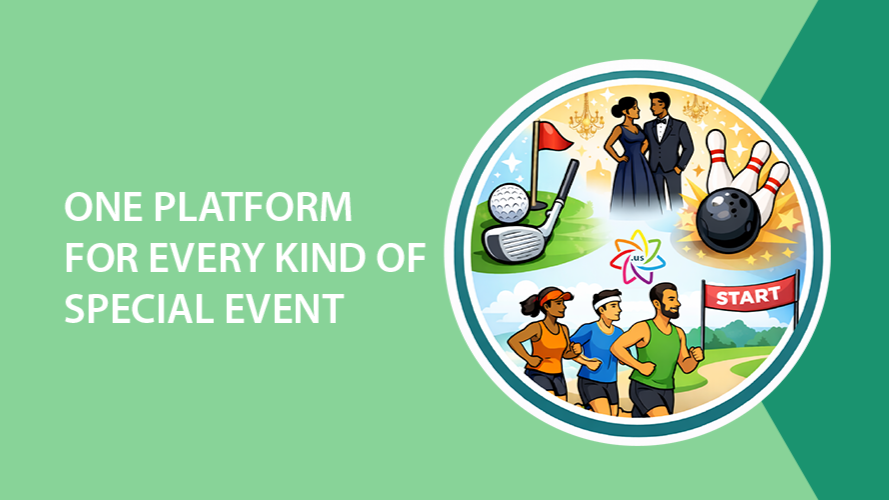
One platform text with event icons: golf, gala, bowling, and a team running.
By Jennifer Speak February 14, 2026
Run golf tournaments, bowling tournaments, galas, fairs, and races with powerful registration, fundraising, check-in, and reporting tools in one connected platform.
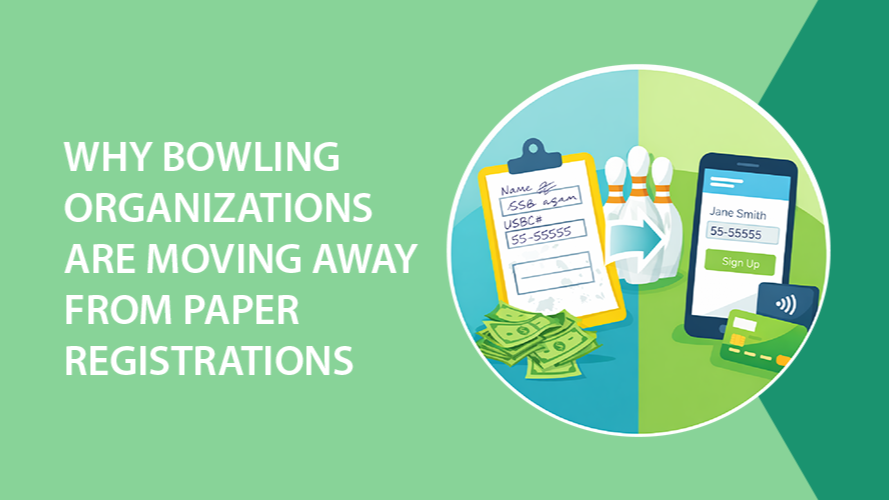
Graphic: Bowling theme, contrasting paper registration with online registration, green and blue colors.
By Jennifer Speak January 8, 2026
Many bowling organizations are moving away from paper registration. Learn how online bowling registration increases entries, improves accuracy, and speeds up payments.
Graphic with text
By Jennifer Speak December 12, 2025
Best practices for increasing recurring donations
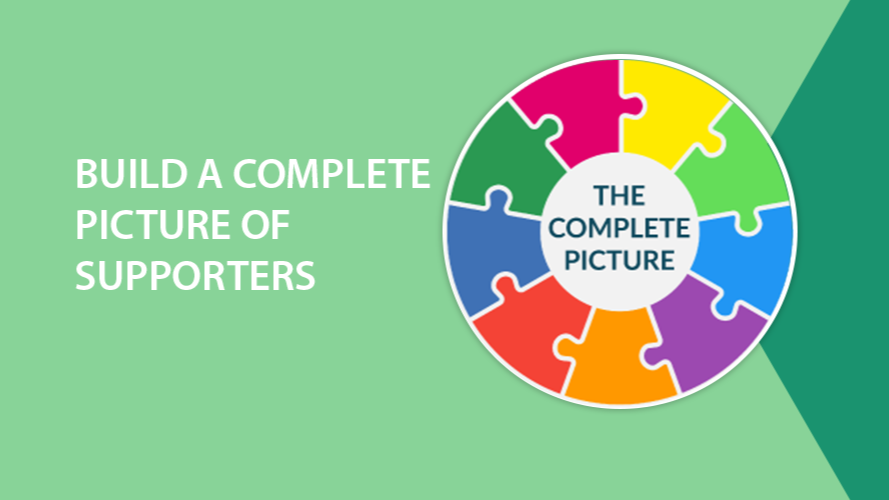
Puzzle pieces in a circle with the words The Complete Picture in the center.
By Jennifer Speak October 14, 2025
Nonprofits work tirelessly to connect with their communities, but truly understanding those connections can be challenging. When your supporter data lives across multiple systems, such as event registration tools, donation platforms, volunteer spreadsheets, and email marketing software, it’s nearly impossible to see the full story of a person’s involvement. Why a Unified View Matters Fragmented data hides powerful insights. A loyal donor might also volunteer every summer. A board member could be one of your most consistent event participants. A sponsor may have first discovered your organization through a child's participation and later deepened their support through ongoing sponsorship. Without a unified record, those connections stay invisible and opportunities to engage more meaningfully slip away. When your organization can view a person’s complete history in one place, you can: Recognize every way they contribute, not just their latest donation Tailor your outreach based on real activity and interests Build trust by showing that you truly know and appreciate their involvement Identify people ready to take on bigger roles, like becoming a team lead, board member, or major donor If your organization isn’t doing this yet, now is the time to start consolidating your data. What a Full Supporter Record Includes Picture opening one supporter record and seeing everything you need to understand their relationship with your organization. This single, unified record might include: Personal details such as contact information, employer, social media, and/or certifications Event registrations and participation history Donation and fundraising activity Volunteer and board service Sponsorship connections Vendor relationships Email and text engagement with your organization Staff notes, tags, alumni status, and custom fields unique to your programs That level of visibility helps everyone on your team work smarter and communicate more effectively. How to Move Toward a Unified System If your team currently uses multiple systems, start by asking: Where does supporter data live today? (Event system, donation tool, email list, etc.) Who manages each system? What overlaps or gaps exist between them? Once you know where your data lives, look for ways to bring it together. The goal is to build a single source of truth that captures every connection a supporter has with your organization. Why Pinwheel Makes It Easy Pinwheel brings all of this data together, including event registrations, fundraising activity, donations, volunteer records, communications, and more, into one comprehensive supporter record. You’ll see a person’s entire journey with your organization, so your team can spend less time cross-checking and more time connecting. With Pinwheel, you can: Automatically link a person’s event participation to their donations and volunteer history See communication engagement right on their record Add tags, notes, and custom roles that matter to your programs Generate reports that show true supporter impact When everything lives in one place, you can act faster, personalize more deeply, and make smarter decisions about engagement and stewardship. Take the Next Step If you’re already using Pinwheel, make sure you’re taking advantage of every tool. Reach out to us for tips on unifying your supporter data. If you’re not using Pinwheel yet, this is the moment to explore how it can transform the way your organization understands and engages its community. Schedule a demo and see how easy it can be to build a complete picture of every supporter!
People running, raising funds with goal numbers on signs.
By Jennifer Speak September 8, 2025
Empower events with peer to peer fundraising
By Michael Reale August 4, 2025
When it comes to after-school programs, camps, or high-demand community events, spots can fill up in minutes, sometimes seconds. For many families, trying to register for these programs becomes a stressful race, where those with the fastest internet or most flexible schedules win, and everyone else misses out. At Pinwheel , we believe access should not be based on Wi-Fi speed or being available right at 9:00 AM on a Wednesday. That’s why we’ve built lottery registration into our event tools, offering a fairer, more equitable way to manage high-interest events. What Is Lottery Registration? Lottery registration allows organizations to collect sign-ups over a defined period, and once that window closes, randomly select who gets a spot in the program. Instead of a first-come, first-served system, which often disadvantages working parents or people with limited internet access, lottery registration levels the playing field. Everyone has an equal shot at participation. That’s a huge step forward in creating fairness and trust in your community. Why It Matters: More Equity, Less Chaos Equal Access for All Families – Lottery registration removes the digital race. Whether a parent signs up right at 9 a.m. or 11:59 p.m., the registration is treated the same. Less Stress, More Time – No need to hover over a computer or worry about typing quickly enough. Registration can happen at a convenient time, with confidence that it's the act of signing up (not the speed) that counts. Supports Representation Goals – For organizations serving underrepresented or underserved communities, lottery registration is a powerful tool to remove barriers and support fair access. Better Experience for Staff – Set the registration period, then use Pinwheel’s built-in randomizer to fairly select participants. It’s quick, transparent, and eliminates the need for spreadsheets or manual selection. How It Works in Pinwheel Pinwheel’s lottery registration is designed to be easy to set up and simple to manage: Open a Registration Window - Choose the start and end dates for registration. During this time, families or participants sign up just as they would for any other event. Random Selection Tool - After the registration window closes, use Pinwheel’s built-in randomizer to fairly select who gets in. For guaranteed placements, such as children of program volunteers, the Award-Win feature can be used to ensure those spots are reserved. Automatic Payment Collection - Once selected, the system automatically processes the participant’s payment. Any financial aid or discounts are applied, along with donations, merchandise purchases, and payment plans. Custom Notifications – Participants who receive a spot are automatically emailed, along with any important information the organization needs to share. Families who aren’t selected can be contacted manually or notified later if additional spots become available. When to Use Lottery Registration Pinwheel’s lottery tool is ideal for: After-school programs with limited enrollment Summer camps with high demand Workshops and specialty classes Publicly funded programs that prioritize equity Events where fairness and transparency are critical Tips for a Smooth Lottery Process Be Clear in Your Communications - Let registrants know it’s a lottery, not first-come-first-serve, and provide the timeline for selection. Give Yourself Time - Build in a buffer between when registration closes and when you run the lottery to manage selections and send notifications. Set Expectations : Let families know how and when they’ll hear back, even if they aren’t selected. A More Equitable Way to Register Lottery registration doesn’t just solve logistical headaches, it signals to the community that your organization values fairness , accessibility , and transparency . And with Pinwheel, it’s simple to implement and easy to manage. Want to add a lottery to your next program? We’re here to help you get started. Visit pinwheel.us or contact our support team for help setting up your next equitable registration process.
By Michael Reale July 7, 2025
Managing attendance and participant information for after-school programs or summer camps is challenging, especially when it’s all done manually. That’s why we built the Pinwheel Attendance App , designed to give volunteers and program leaders a simple, secure, and centralized way to track attendance, communicate with families, and access essential participant details. Whether you're running a single-day workshop or a season-long youth program, the Attendance App makes it easy to stay organized, connected, and compliant. Easy for Volunteers, Powerful for Programs The Attendance App is mobile-friendly and intuitive, so volunteers spend less time on paperwork and more time with participants. With just a few taps, volunteers can: Take attendance by session - Mark who’s present or absent, both volunteers and participants - no clipboards or spreadsheets required. Access critical participant info - View important details like health concerns, allergy information, authorized pick-up individuals, and emergency contacts right in the app. Get notified of participant birthdays - Volunteers receive birthday alerts so they can help make each participant’s special day even more memorable. Communicate with caregivers - Volunteers can send text messages or emails to parents and guardians to share team updates, schedule changes, or reminders. Rate each session - Volunteers can submit a quick rating and feedback on how the day went, offering valuable insights into session quality and areas for support. Receive real-time push notifications - Program organizers can push updates or alerts to all volunteers through the app, perfect for last-minute changes, reminders, or encouragement. Real-Time Reporting All data collected through the Attendance App flows back instantly to Pinwheel and is viewable through 11 built-in reports . Administrators can track attendance trends, spot gaps in engagement, and review volunteer feedback to better understand program performance. Why It Matters Stronger outcomes and family satisfaction come from prioritizing safety, communication, and engagement. Reduced administrative burden helps retain and empower volunteers. Reliable attendance data supports grant reporting by demonstrating program reach, participant engagement, and overall impact. Ready to simplify attendance and improve communication across your programs? Whether you're running a local Police Athletic League (PAL), a summer arts camp, or an after-school tutoring program, the Pinwheel Attendance App puts essential tools in your volunteers’ hands and gives you the data you need to measure program success. Learn more at www.pinwheel.us or reach out to support@pinwheel.us to schedule a demo.
By Michael Reale June 3, 2025
Maintaining a healthy email list is key to strong engagement and high deliverability. If you're using Pinwheel’s Email Marketing Module (EMM), you already know the value of staying connected with audiences. But what about the contacts who haven’t interacted with your emails in months? Sending emails to people who never open them can hurt deliverability; email providers see low engagement as a sign your messages are not wanted, which can cause future emails to land in spam. To protect your sender reputation, it’s important to focus on engaging active audiences and to regularly unsubscribe non-readers. Therefore, it’s time for a list cleanup — and we've got a thoughtful, relationship-centered approach to help you do it right. Step 1: Define What "Inactive" Means for You Start by identifying what counts as inactivity. Generally, contacts are considered inactive if they have not opened or clicked on an email in the last three to 12 months. Your definition might vary depending on how often you send emails: Weekly emails: Inactive after 3 months Monthly emails: Inactive after 6 to 12 months Use Pinwheel’s Number of Opens and Last Open date columns in the Contacts grid to get a list of who is not engaging. There are a variety of ways to identify these contacts, but try this one to begin with: Start by filtering the list using the funnel icon in the Number of Opens column to show only contacts with 0 opens . Then, sort by the # of Campaigns column by clicking the header twice; this will bring the contacts who’ve received the most campaigns to the top. You may find that some have received hundreds of emails without ever opening one. For these contacts, click the pencil icon in the Status column and change the status from "Subscribed" to "Unsubscribed" . If you're not ready to unsubscribe them yet, proceed to Step 2. Step 2: Run a Re-Engagement Campaign Before removing anyone from your list, give them a chance to re-engage. A re-engagement campaign can reignite interest and save valuable contacts. Try subject lines like: “Still want to hear from us?” “We miss you! Let us know you’re still interested.” Here’s a sample message you can customize: Hi, We have missed having you as part of our story! Thanks to supporters like you, here’s what we’ve accomplished recently: ✅ [Short impact stat or story — e.g., “Over 500 families received vital support this winter.”] ✅ [Another impact point — “We launched a new program for underserved youth.”] Your past interest in our mission truly made a difference. And while we haven’t heard from you in a while, we’d love to reconnect — your voice, your presence, and your passion still matter. If our work still resonates with you, please click below to stay in touch. Yes, Keep Me Updated [link to your website] With gratitude, [Your Organization Name] [Contact Info | Social Links] P.S. If you'd prefer to unsubscribe, click below. If the contact opens the email and clicks the link, great! They’re re-engaged. If not, it might be time to let them go. Step 3: Mark Inactive Contacts as Unsubscribed Once you feel confident that some contacts are not going to engage with your emails, it's time to let them go! Rather than deleting contacts, mark them as unsubscribed. This approach: Retains engagement history Prevents future sends to uninterested contacts Avoids accidental re-imports later on To do this in Pinwheel: Go to the Contacts grid, sort by Opens or Last Open , review engagement, then update the Status column from “Subscribed” to “Unsubscribed.” Conclusion – A Smaller List Can Mean a Stronger One List cleaning isn’t about reducing your reach — it’s about refining it . By giving inactive supporters a chance to reconnect and respectfully retiring disengaged contacts, your messages will land where they matter most. Need help cleaning your list? Contact us at support@pinwheel.us — we’re here to help you build lasting connections!
By Michael Reale April 30, 2025
How to Find the Perfect Board Members Every nonprofit organization thrives on the passion and expertise of its board members. These individuals play a crucial role in steering the mission, making strategic decisions, and ensuring the long-term sustainability of the organization. Finding the right board members isn’t always easy, but there are strategies that can help. 1. Design a Compelling Board Recruitment Program A well-crafted campaign not only captures attention but also inspires action. Here’s how to do it: Define Your Needs : Outline the skills, expertise, and qualities you’re looking for in a board member. Are you seeking someone with financial acumen, legal expertise, or fundraising experience? Just like employees, ensure there are job descriptions for each board role, setting out clear expectations. Explain Expectations : Be transparent about the responsibilities, time commitment, and term length for board members. If there is a financial contribution required, communicate this openly and provide details on how it can be fulfilled, such as through a "Give or Get" approach. Share Your Mission : Clearly articulate your organization’s mission, vision, and values. Potential board members are more likely to join if they feel connected to your cause. Include images or videos that showcase your organization’s impact and culture. Showcase Current Board Members : Highlight testimonials or stories from existing board members to give potential candidates a sense of what it’s like to serve on your board. Highlight the Benefits : Describe the rewards that are part of being on the board, such as working with a dynamic group of people, making an impact on the community, improving the lives of children, and/or having fun! 2. Implement the Recruitment Program Use a variety of methods to reach audiences who may be interested in board positions: Notify Your Current Constituents : Share the opportunity with event attendees, volunteers, fundraisers, sponsors, vendors, and donors. These individuals are already invested in your mission and may be interested in taking on a larger role. Collaborate with Partners : Reach out to local businesses, community groups, or professional associations to promote your campaign. Promote the Opportunity on Volunteer Platforms: Use websites like VolunteerMatch.org to advertise the board position. These platforms are excellent for connecting with individuals actively seeking board roles or looking for meaningful volunteer opportunities. Offer Q&A Opportunities : Host virtual or in-person Q&A sessions to answer questions and share insights about your organization. Invite Potential Candidates to Events: Bring prospective board members to a fundraiser or an after-school program session to see the organization’s work in process. Also consider inviting them to a board meeting. Engage Current Board Members: Encourage current board members to actively tap into professional and personal networks to identify potential candidates. However, be mindful of the importance of diversity and inclusivity - avoid creating a homogenous board by focusing solely on connections within the same circles. A varied board brings fresh perspectives and strengthens the organization. 3. Set up an Application Process – use Pinwheel! Pinwheel’s recruitment campaign is an easy way to have potential board members apply: Leverage Pre-Built Templates - Need help getting started? Use Pinwheel’s Board Member Campaign template to streamline your process. Just email support@pinwheel.us to request a template and have it added to your campaign list. Decide on Application Accessibility - If you prefer a public application, post the link on your website, social media accounts, and any platforms where the position is advertised. If you'd rather vet applicants before they apply, provide a contact email address, and share the application link only with candidates who meet your initial criteria. Review and Manage Applications - As applications come in, review the data and assign a status to each applicant (e.g., Reviewed, Background Pending, Rejected, Withdrawn, or Accepted ). Capture Key Insights - Use the Notes tab to document additional information or observations during the review process. This ensures all relevant details are easily accessible for decision-making. Finalize the Selection - Once a final candidate is determined, accept the application. Pinwheel will prompt you to add the board role and term to the record and automatically list the person under the Account’s Board Member tab. If a candidate is not selected but you wish to stay in touch, you can make the person a Contact instead. 4. Nurture Long-Term Relationships Even after the recruitment campaign ends, it’s essential to stay connected with potential candidates who may not join your board immediately: Create a Pipeline : Keep a list of engaged candidates who can be considered for future opportunities. In Pinwheel, use Person Tags to identify and track potential candidates. Offer Other Ways to Get Involved : Encourage candidates to volunteer or join committees if they’re not ready for a board role. Keep Communication Open : Add candidates to email marketing lists, connect with them on social media, invite them to events, and periodically reach out directly to share updates with them about your organization and to maintain relationships. Happy board member recruiting!